
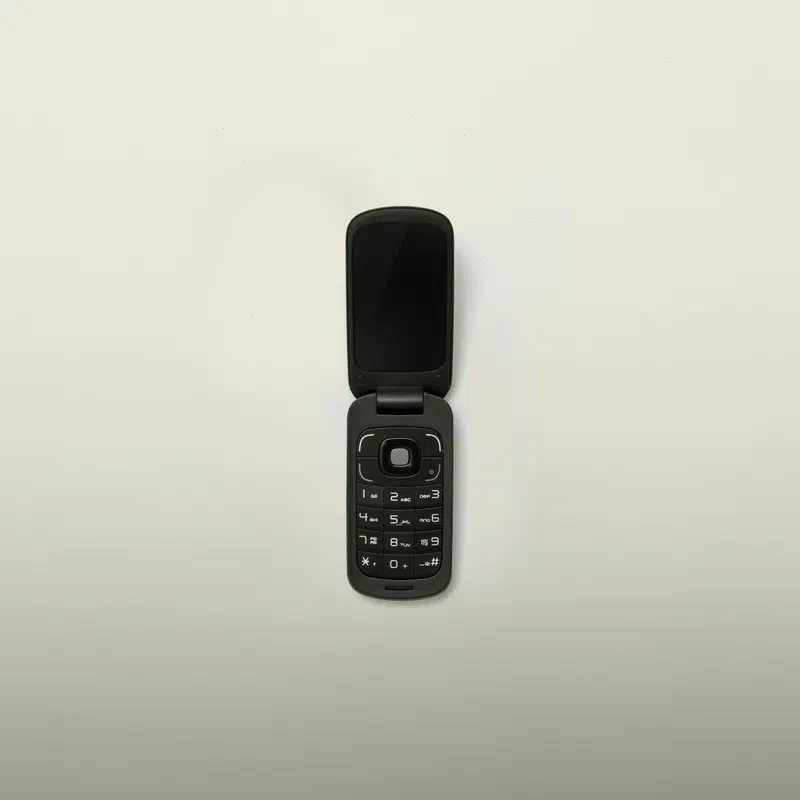
2026 Phone Alternatives to Flip Phones: A Clear Guide for Simplicity, Safety, and Connection
2026 Phone Alternatives to Flip Phones
For many people, a flip phone has been a dependable small object: it opens, it calls, it closes. That rhythm still has value. Yet phone alternatives can offer a gentler path to larger screens, photo sharing, video conversations, and tools that may help a person feel less alone at home. The question is not whether every adult needs the newest device. It is whether the next phone makes ordinary life easier.
Adults over 65 and the family members helping them often face the same practical problem from different sides. One person wants a phone that does not feel fussy or unfamiliar. Another wants confidence that a parent can stay reachable, ask for help, and enjoy family moments without a long technical lesson. A good decision begins with needs, not with a crowded display case.
What Makes a Good Alternative to a Flip Phone
A move away from a flip phone need not be a move toward complexity. Some phone alternatives keep physical buttons or a familiar calling-first design. Others use a touch screen but make room for larger text, clearer layouts, and direct access to the people who matter most. The useful comparison is not old versus new. It is simple versus stressful.
Start with the daily routine
Write down what happens most days: calls, texts, checking a photo, receiving a reminder, or speaking with family. A person who mostly calls one or two people may prefer a straightforward device. A person who wants to see grandchildren on a video call may find that a larger-screen mobile phone opens a welcome door. The best phone is the one that supports the routine already in place.
Make the screen readable before comparing features
Small menus can turn an otherwise useful phone into a drawer-bound object. Look closely at text size, contrast, screen space, and how easily a contact can be reached. Ask whether the display can show a name, a message, and a photo without requiring constant pinching or hunting through menus. This matters more than a long list of technical details.
Keep calling and sound at the center
A phone should make conversations feel less like work. Clear audio, a useful speakerphone, and attention to hearing aid compatible phone setup assistance can matter more than a novel camera feature. Before changing from a flip phone, consider where calls happen: near a television, in a car, outside, or from a favorite chair. A simple test call can reveal more than a polished product page.
Choose a Phone Category Before Choosing a Brand
The number of phones can make the search feel larger than it is. Reducing the choices to a few categories gives families a calmer way to talk about tradeoffs. A basic calling phone, a simplified smartphone, and a mainstream smartphone can each be sensible phone alternatives, depending on who will use it and who may provide help.
Familiar phones for a gradual change
Some people are not ready to leave the physical feel of a flip phone. Options associated with Nokia, Alcatel, and Motorola may be worth comparing when a familiar form and calling-focused use are the priority. A Samsung flip phone can also appeal to someone who likes the idea of a compact device but wants to explore a different approach. The important point is to handle the device and see whether opening, dialing, reading, and ending a call feel natural.
Simplified smartphones for connection
A simplified smartphone can make photos, messages, and video calls easier to see than on a traditional flip phone. Lively is one name families may encounter when looking at senior phones, including the Jitterbug Smart5 and Jitterbug Flip3. The useful question is not whether the screen is modern. It is whether the person using it can find family contacts, recognize an incoming call, and return to the home screen without worry.
Mainstream smartphones for flexibility
Apple, Samsung, and Google offer familiar names in the broader smartphone conversation. Products such as iPhone SE, Samsung Galaxy A37 5G, and Google Pixel 8a illustrate the range of devices families may see while comparing a new Samsung phone or other current phones. Mainstream models can provide room for family communication, but they deserve a patient setup. Too many unused apps and alerts can make a capable mobile phone feel like a difficult one.
Match Safety and Independence to Real Needs
Safety is often the quiet reason a family begins this search. It should be discussed plainly, without turning every phone into a medical device or assuming that every older adult needs the same support. A phone can be part of an independence plan when it helps someone reach family, receive assistance, or stay connected to a caregiver. It cannot replace a thoughtful plan for emergencies.
Compare emergency support with care
Some services are presented alongside phones, including Lively Urgent Response 24/7 emergency service and Lively Nurse On-Call health service. These names may be relevant to a household that wants to understand available support options. Before selecting any service, ask what happens when help is requested, who receives information, what ongoing costs may apply, and whether the person using the phone understands how to use it. Clarity is a form of safety.
Consider caregiver involvement without taking control away
Caregiver remote phone management tools may help family members assist with setup or maintenance. That can be useful when accidental setting changes are a recurring concern. Still, the phone belongs in the user’s hand. Agree on which contacts should be prominent, which alerts are helpful, and when a caregiver may step in. A phone that feels imposed is less likely to be used with confidence.
Build a short contact list first
Before debating apps, create a practical list: close family, a neighbor, a doctor’s office if appropriate, and a trusted local contact. Add photos where the device allows it. Then practice one call, one text, and one response to an incoming call. This small rehearsal often exposes a poor fit early. It also turns a phone from a piece of equipment into a familiar route back to people.
Compare Plans, Prepaid Phones, and Phone Companies
A device and a monthly plan belong in the same conversation. The lowest phone price may not be the easiest long-term choice, while a plan with more than a person needs can create needless confusion. Phone companies describe plans in different ways, so it helps to compare the same questions every time: monthly cost, contract expectations, customer support, and whether the plan fits actual use.
When prepaid phones may make sense
Prepaid phones can be worth considering for households that want a clear spending limit or prefer flexibility. They may suit a person whose main needs are calls and texts, but the details still matter. Check how service is renewed, whether help is available when setting up the phone, and whether the plan supports the communication the household expects. A simple bill is helpful only if the phone remains dependable.
Read carrier options as service choices
Consumer Cellular senior phone plans with AARP discount, Consumer Cellular SpeakEasy wireless for adults 75+, and T-Mobile 55+ unlimited phone plans are examples of plan names a family may encounter. Consumer Cellular also offers the Consumer Cellular IRIS Easy Flip among the devices in this search. T-Mobile may appear in comparisons of t mobile phones. Rather than treating these names as answers, use them as a prompt to ask which plan, phone, and support arrangement feels understandable.
Approach deals with a written checklist
Searches for Verizon phone deals, Verizon phones, mobile phone deals, cell phone deals, and general phone deals can produce a flood of offers. Keep a written checklist beside the screen: device cost, monthly service cost, eligibility requirements, trade-in terms if any, and what happens after an introductory period. The phrase free cell phone or free phone deserves the same calm reading. An offer may be useful, but the full service arrangement should be clear before any decision is made.
Use a Simple Decision Process at Home
The most reliable way to choose among phone alternatives is to make the decision concrete. Avoid trying to predict every future need. Instead, test the tasks that will happen this week. This method respects both the older adult who will use the phone and the relative who wants to help without becoming permanent technical support.
Make a two-column needs list
In one column, put must-haves: large readable text, clear calling, an easy charging routine, emergency support if desired, or family video calls. In the second, put nice-to-haves: a particular color, a certain camera style, or an app that may never be opened. This prevents a long feature list from obscuring the real decision. It also makes room for budget questions, including cheap phones and refurbished phones, without assuming that lower price always means better value.
Try three tasks before committing
- Place a call to a familiar contact and end it.
- Read and reply to a short text message.
- Find a saved family photo or begin a video call if that is a priority.
If these tasks require repeated rescue, try another option. RAZ Mobility and its RAZ Memory Cell Phone may arise in conversations where a very directed experience is desired. Gabb phone searches may also appear when families are comparing managed or simplified options. The relevant test remains the same: can the intended user complete ordinary tasks with dignity and ease?
Set up the phone for the person, not the store display
Once a choice is made, remove clutter where possible, enlarge text, add key contacts, and write down the charging habit. Keep instructions short and visible. A new phone should not feel like a test of memory. It should feel like a well-labeled kitchen drawer: the important things are close at hand, and nothing needs to be searched for in a hurry.
A Thoughtful Switch Can Stay Simple
There is no universal finish line in the search for a phone. Some people will remain happiest with the straightforward motion of a flip phone. Others will welcome a screen large enough for photos and video calls. Compare device categories, safety needs, plans, and support with patience. The right choice is usually the one that makes the next ordinary call feel less like technology and more like connection.
You may also like
A Practical Guide to Buying a Pre-Owned Smartphone
A lower price can be the beginning of a good purchase or the beginning of an expensive problem. A few calm checks reveal far more than polished photos can, from battery condition and activation status to the small details that decide whether a phone will last.